Claude
Claude Fable 5.1 实测:两项全栈任务都赢 GPT-5.6 SOL?
Claude Fable 5.1 正式发布。官方重点强调长周期编码、终端工程和科学研究:Terminal-Bench 4.0 为 55.8%,Terminal-Bench-Science 为 52.6%,缓存读取价格下降 75%。 这次不只看官方榜单,我把它和 GPT-5.6 SOL 放进同类全栈任务里,看看谁更能理解需求、持续调试,并把一个完整项目真正做完。
公开教程共 32 篇
Claude Fable 5.1 正式发布。官方重点强调长周期编码、终端工程和科学研究:Terminal-Bench 4.0 为 55.8%,Terminal-Bench-Science 为 52.6%,缓存读取价格下降 75%。 这次不只看官方榜单,我把它和 GPT-5.6 SOL 放进同类全栈任务里,看看谁更能理解需求、持续调试,并把一个完整项目真正做完。
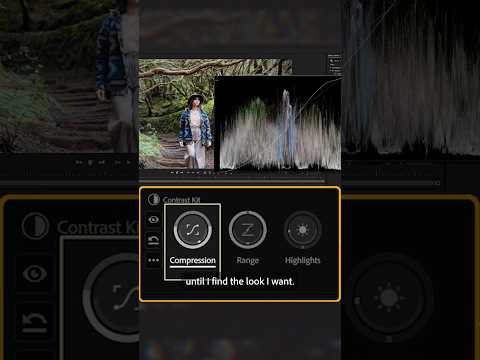
在这个颜色模式(测试版)细分中,@FilmRiot 的 Ryan Connolly 向我们介绍了他们的颜色分级过程,一次又一次的调整。使用 Premiere(测试版)的新色彩模式体验,我们能够看到他们如何拍摄原始素材并将其转换为适合影院观看的镜头 - 以及他们如何保存该等级以供将来使用。如果您想了解专业人士如何进行色彩分级或了解色彩模式(测试版)的工作原理,这就是适合您的指南! 章节 00:00 - 介绍 00:16-创建新的剪辑样式 00:29 - 颜色/对比度 00:56 - 对比套件 01:29 - 胶片颜色 02:12 - 耀斑 02:28 - 颜色偏移和细节 02:36 - 将您的成绩保存为自定义样式并重新调整其用途 03:18 - 结尾 订阅 Adobe Video & Motion:https://adobe.ly/3uoastj 了解有关 Adobe Video 的更多信息:https://adobe.ly/3RRZAfc 关于 Adobe 视频和动画: Adobe Video and Motion 是满足您所有创意视频需求的一站式源。从 Premiere、After Effects、iPhone 上的 Premiere、Character Animator、Audition 等工具中查找内容和教程! Adobe® 视频和动作工具为初学者和专业人士提供全面的视频编辑、动作设计、视觉特效、声音和动画。 连接 Adobe 视频: 推特:https://Twitter.com/adobevideo 脸书:https://facebook.com/adobevideo Instagram:https://instagram.com/adobevideo 抖音:https://www.tiktok.com/@adobevideo #Adobe #AdobeVideo #AdobeYouTube
Travel filmmaker Colby Eubanks is ready to color grade his latest expedition and there's no better tool to give his project the grade it deserves than Color Mode in Premiere (beta). Working with this new in-app workspace, Colby shares his findings, from group adjustments to HUDs (Heads-Up Displays) to the interface's intuitive layout, all driving him to completely revolutionize the way he sees his grades. Chapters 00:00 - Intro 00:35 - Adjustments 01:02 - Heads-Up Displays 01:34 - Navigating Color Mode's Interface 02:12 - Outro Subscribe to Adobe Video & Motion: https://adobe.ly/3uoastj Learn more about Adobe Video: https://adobe.ly/3RRZAfc About Adobe Video & Motion: Adobe Video and Motion is a one-stop feed for all your creative video needs. Find content and tutorials from tools such as Premiere, After Effects, Premiere on iPhone, Character Animator, Audition and more! Adobe® Video & Motion tools provide comprehensive video editing, motion design, VFX, sound, & animation for beginner

How many edits can you make using Object Mask in #Premiere? The limit doesn't exist. Stream the rest of @FilmRiot's breakdown on our YouTube channel.
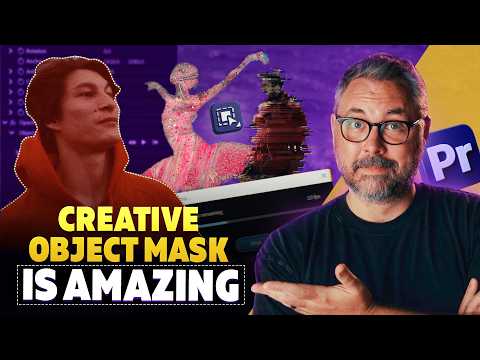
@filmriot reveals some of the many ways that you can make the most of Object Mask in Premiere. Watch as Ryan Connolly breaks down several versatile effects that you can achieve, from isolating for color grading to echo edits and glitch effect. The edits are endless! Chapters 00:00 - Intro 00:15 - Color Swaps and Color Grades 00:45 - Stylized Effects 01:37 - Remove or Isolate Objects 02:19 - Even More Ways to Use Object Mask 02:56 - Outro Subscribe to Adobe Video & Motion: https://adobe.ly/3uoastj Learn more about Adobe Video: https://adobe.ly/3RRZAfc About Adobe Video & Motion: Adobe Video and Motion is a one-stop feed for all your creative video needs. Find content and tutorials from tools such as Premiere, After Effects, Premiere on iPhone, Character Animator, Audition and more! Adobe® Video & Motion tools provide comprehensive video editing, motion design, VFX, sound, & animation for beginners to professionals. Connect with Adobe Video: Twitter: https://Twitter.com/adobevideo Facebo
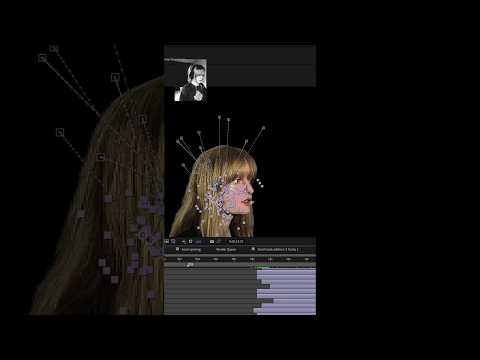
Stream the rest of our behind-the-timeline exclusive of Union County by heading to our YouTube channel, and don’t forget to catch this critically acclaimed drama in cinemas.
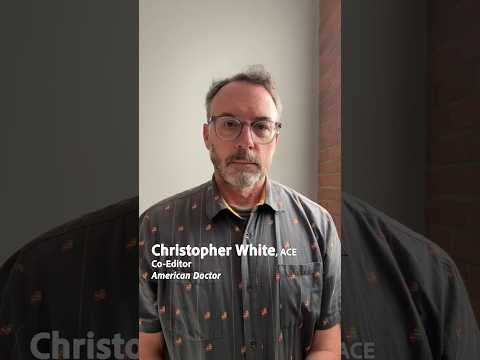
American Doctor co-editor Christopher White, ACE, offers up three tips for editors and breaks down how Premiere helped him edit with surgical precision.
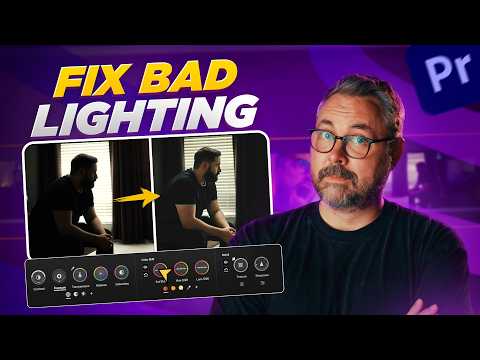
So your shot has bad lighting? We can help fix that. Ryan Connolly from @Film Riot demos how to take your video from dull to dynamic with a few precise edits using Color Mode in Premiere (beta). Save your footage with Color Mode the next time you're tasked to "fix it in post." Chapters 00:00 - Intro 00:24 - Color Temp & Adding a Style 00:59 - Improving the Background 02:02 - Precise Grades with Using Masks 02:55 - Adjustment Layer & Final Results 03:06 - Another Example 03:35 - Outro Subscribe to Adobe Video & Motion: https://adobe.ly/3uoastj Learn more about Adobe Video: https://adobe.ly/3RRZAfc About Adobe Video & Motion: Adobe Video and Motion is a one-stop feed for all your creative video needs. Find content and tutorials from tools such as Premiere, After Effects, Premiere on iPhone, Character Animator, Audition and more! Adobe® Video & Motion tools provide comprehensive video editing, motion design, VFX, sound, & animation for beginners to professionals. Connect with Adobe Video: